Onset
Project
Application
Summary

We’ve launched AI-generated summaries for release notes, allowing you to quickly grasp key updates, with the option to customize any summary that doesn’t meet your needs. Workspace Owners can now approve specific email domains for member access, streamlining the onboarding process. Additionally, you can import subscribers from other platforms using a CSV file, and new users can enjoy a 30-day free trial of any paid plan.

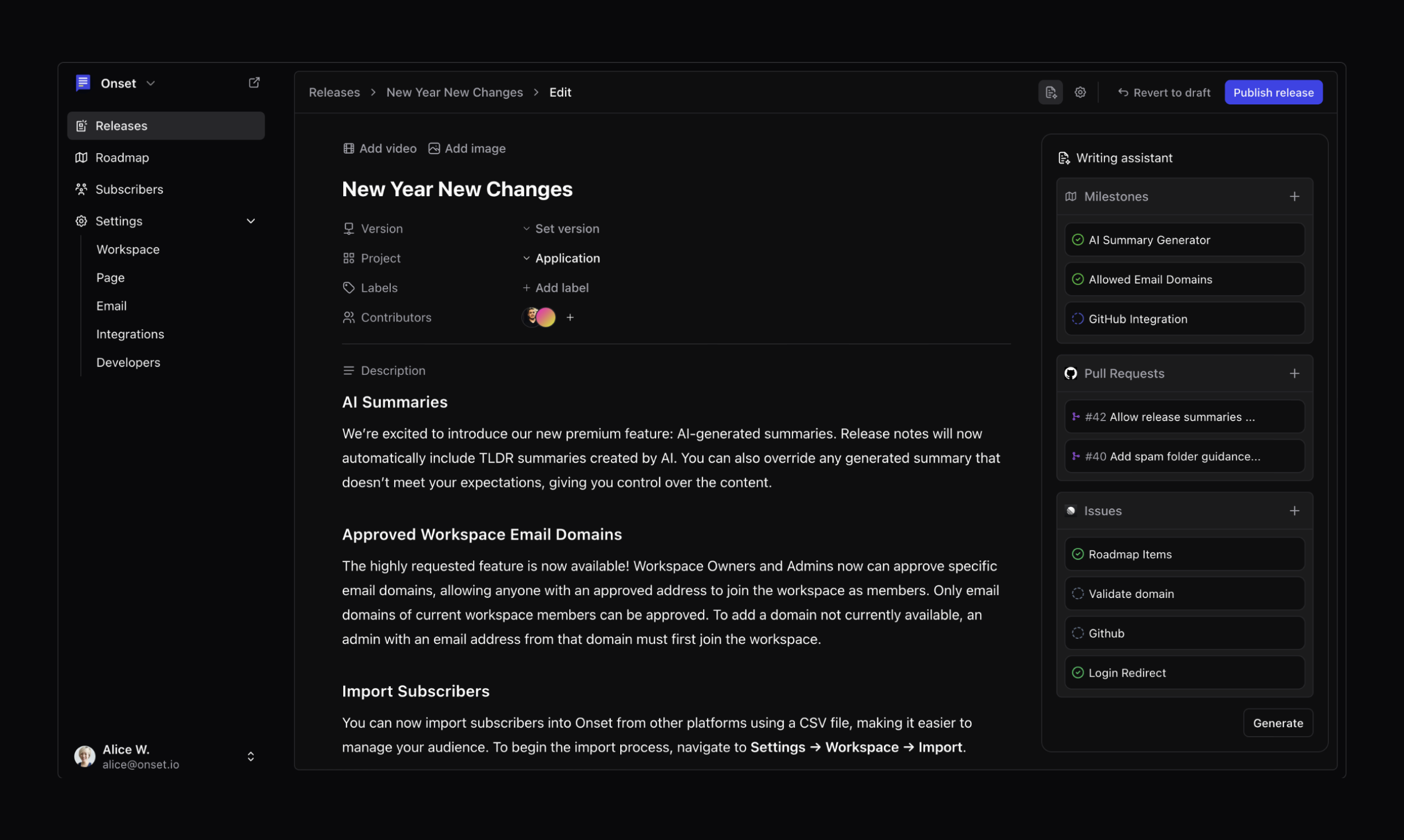
AI Summaries

We’re excited to introduce our new premium feature: AI-generated summaries. Release notes will now automatically include TLDR summaries created by AI. You can also override any generated summary that doesn’t meet your expectations, giving you control over the content.

Approved Workspace Email Domains

The highly requested feature is now available! Workspace Owners and Admins now can approve specific email domains, allowing anyone with an approved address to join the workspace as members. Only email domains of current workspace members can be approved. To add a domain not currently available, an admin with an email address from that domain must first join the workspace.

Import Subscribers

You can now import subscribers into Onset from other platforms using a CSV file, making it easier to manage your audience. To begin the import process, navigate to Settings → Workspace → Import.

30 Day Trail

You can now enjoy a free trial of any paid plan for a full 30 days. This trial period allows you to explore all the features and benefits of the plan you choose. However, please note that the trial is restricted to new subscribers only and does not apply to existing users who are looking to upgrade their current plans.

Added

Automatically generating favicons for pages missing a custom icon.

Changed

Use the release hero image for social media instead of a custom-generated one.

Fixed

Fixed the email settings subject field validation.

Slack and Discord Integration
Project
Application
Labels
Preview
Integration
Summary

We’ve launched new integrations for Slack and Discord, allowing you to receive instant notifications in your chosen channels whenever you publish release notes. Additionally, you can now customize your public page by adding custom menu links through the settings, enhancing navigation for your users.

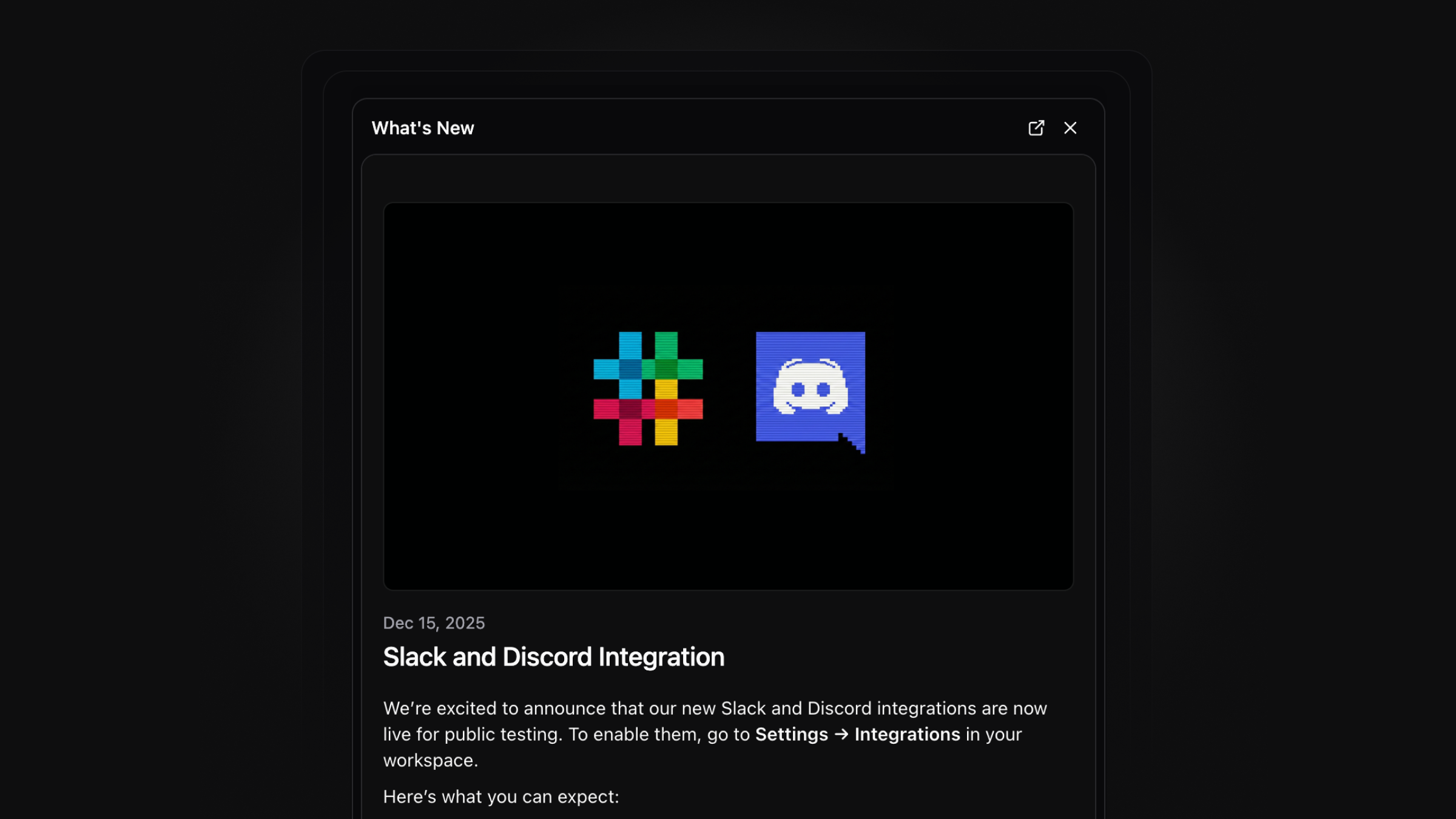
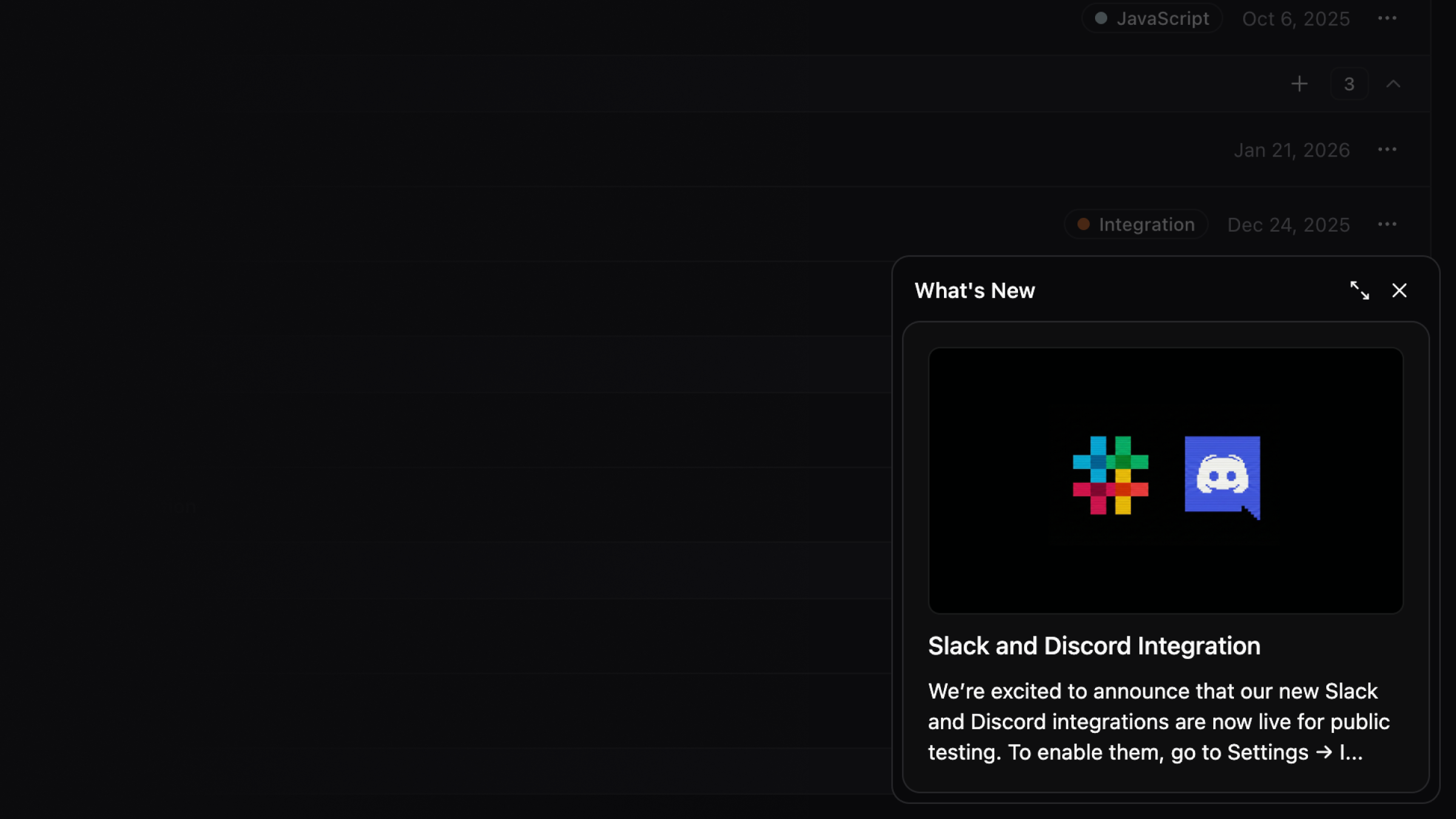
We’re excited to announce that our new Slack and Discord integrations are now live for public testing. To enable them, go to Settings → Integrations in your workspace.

Here’s what you can expect:

  • Instant Updates: Choose your preferred Slack and/or Discord channels to receive immediate notifications when you publish release notes. You can select multiple Slack channels!

  • Seamless Communication: This integration keeps your internal teams informed about every change.

Header Menu Items

You can now add custom menu links to your public page. To do this, go to Settings → Page → Preferences. From there, easily add your desired links to the menu. These links will appear under the three dots in the main navigation.

Incoming Webhooks
Nov 19, 2025

Incoming Webhooks

Project
Application
Labels
Integration
Summary

You can now use incoming webhooks to easily integrate with Onset, allowing for efficient data exchange between your applications. The editor has added alert boxes to highlight important messages, and a new activity tab provides insights into user engagement with your milestones and release notes. Additionally, we are beta testing integrations with Slack and Discord, and interested users can reach out for participation.

You can now integrate with Onset using incoming webhooks. These webhooks enable you to create integrations simply by using an endpoint, allowing for seamless communication between your applications and Onset. This functionality streamlines the process of sending data and receiving updates, enhancing the overall efficiency of your workflows.

Alert Boxes

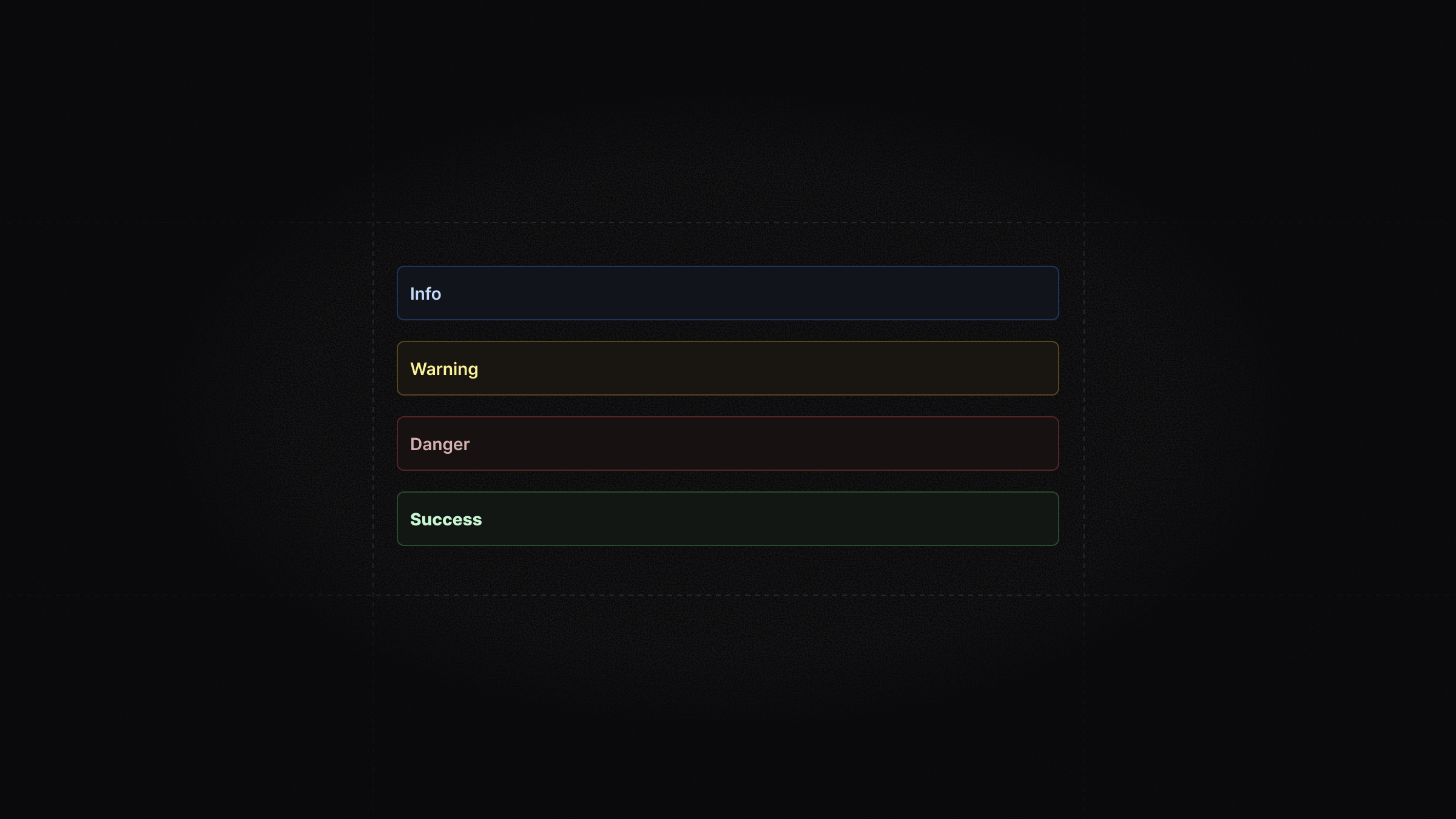
The editor now supports alert boxes for highlighting critical information, making it easier for users to draw attention to important messages or warnings. You can choose from different types of alerts, such as info, warning, success or error messages, to convey the appropriate tone.

Activity Tab

The new activity tab in the release and milestone views offers a comprehensive and detailed overview of user engagement. It shows who upvoted your milestone and when, allowing you to track support and interest over time. Additionally, it displays reactions to your release notes, providing insights into how your audience is responding to updates and changes.

Slack Integration Beta Testing

We are currently in the process of beta testing our integrations with both Slack and Discord, two popular communication platforms widely used by teams and communities. If you are interested in participating in this testing phase and helping us improve these integrations, please reach out to us at support@onset.io. Your feedback will be invaluable in refining the user experience.

Added

Testing AI summarization for release notes.

Added

Testing Slack and Discord integrations.

Changed

Renamed the editor “Section” to “Collapsible” for more clarification.

Fixed

Fixed the release date update bug.

We're Live On Product Hunt
Labels
Announcement
Summary

Onset has relaunched on Product Hunt and is seeking your support. You can upvote the product and access a 10% off promo code through the provided link.

Onset just relaunched on Product Hunt! We’d appreciate your support. Click the link below to upvote and access a 10% off promo code:

Onset on Product Hunt

Happy releasing! We look forward to your thoughts and support.

Email Protected Pages
Project
Application
Labels
Feature
Improvements
Announcement
Summary

You can now restrict access to your public pages by whitelisting specific email domains, ensuring only users from your organization can view them. Additionally, the website and documentation site have been redesigned for better aesthetics and improved navigation. Other updates include new sorting options for roadmaps, enhanced API features, and various bug fixes to improve overall functionality.

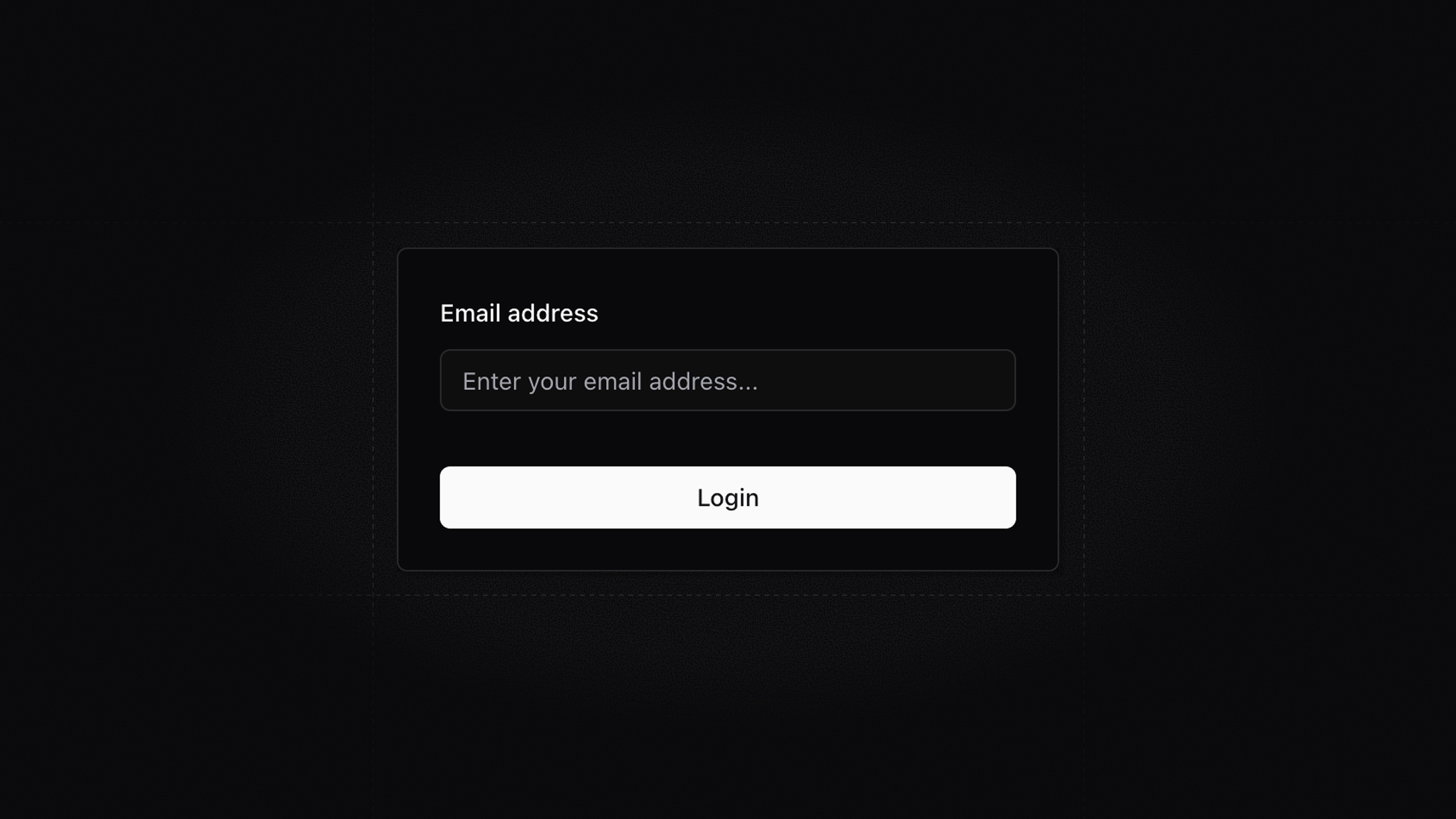
Restrict access to your public page by whitelisting specific email domains. This limits access to users within your organization. When users visit the page, they will encounter a login screen where they can enter their email address to receive a verification link for access. This feature is perfect for sharing roadmaps or changelogs with select clients or organizations while keeping your entire dashboard private.

New Website

We have redesigned our website to match the aesthetic of our new application, creating a cohesive user experience across all platforms. This update enhances visual appeal and improves functionality, making navigation more intuitive for users.

New Documentation Site

We have revamped our documentation site to include more detailed information on key areas like Integrations, Email Settings, and more. Explore it here for comprehensive guides and resources to enhance your experience. We will continue to update and expand the documentation to keep it informative and relevant.

Added

You can now select a default roadmap sorting to use on your public page.

Added

Added option to sort roadmap items by hotness score in dashboard.

Added

Added an endpoint to create webhooks via API.

Added

Added new contact us form so you can easily get support.

Added

Displaying release and milestone number in the details sidebar.

Added

Added support for release and milestone numbers in the API.

Added

Added email confirmation on API token rotate.

Changed

Reduced the character minimum for label and project title to 2.

Changed

Hiding unsubscribed emails from the Subscribers list.

Fixed

Fixed the releases endpoint API validation.

Fixed

Fixed the editor “section” empty placeholder bug.

Fixed

Fixed the upload limit bug.

Fixed

Fixed the API validation error.

Fixed

Fixed the contributor loading for non-admin users.

Onset 5.0 Stable Release
Version
5.0
Project
Application
Labels
Feature
Improvements
Announcement
Summary

Onset 5.0 is now stable, featuring enhancements for user experience and performance. Key updates include new AI writing tools for easier text adjustments, the ability to add multiple contributors to releases for better collaboration, and customizable email subject templates for personalized communications. Additionally, the REST API is back online with new endpoints, and we've introduced secure webhooks using HMAC-SHA256 signatures for improved data integrity.

We are excited to announce that Onset 5.0 is now stable. Since the last release, we've made several enhancements to improve user experience and performance.

AI Writing Tools

We are excited to introduce new AI writing tools designed to enhance your release notes and milestone descriptions. With the AI writer, you can easily adjust your text—making it longer, shorter, or altering the tone as needed.

Release Contributors

You can now add multiple contributors to each release, enhancing collaboration and crediting efforts.

To manage how these contributors are displayed, navigate to Settings → Page → Releases. Here, you can control the visibility of contributors on your public page.

Custom Email Subject Templates

We've introduced the ability to customize email subject lines using templates. This allows for greater flexibility and personalization in your communications.

Available Placeholders:

  • {title}: Release title.

  • {version}: Release version.

  • {workspace}: Workspace name.

  • {project}: Project name.

Example Use Cases:

  • Changelog {title}: Add a prefix keyword before the release title.

  • [{project} UPDATES] {title}: Include the project name in the subject line.

REST API

The REST API is back online! After a brief downtime, it is now fully operational and ready for use. We’ve also added new endpoints for managing various resources, such as webhooks, which will facilitate easier integration and task automation for developers.

For detailed information, including the API reference and practical examples, please check our documentation here.

Webhooks

We are excited to introduce new webhooks that are secure and more granular. The new webhooks utilize HMAC-SHA256 signatures, which provide a stronger method for verifying the authenticity of the data being sent. This helps prevent tampering and ensures that the data received is from a trusted source.

For more information, please refer to our documentation here.

Oct 8, 2025

The New Onset

Labels
Announcement
Summary

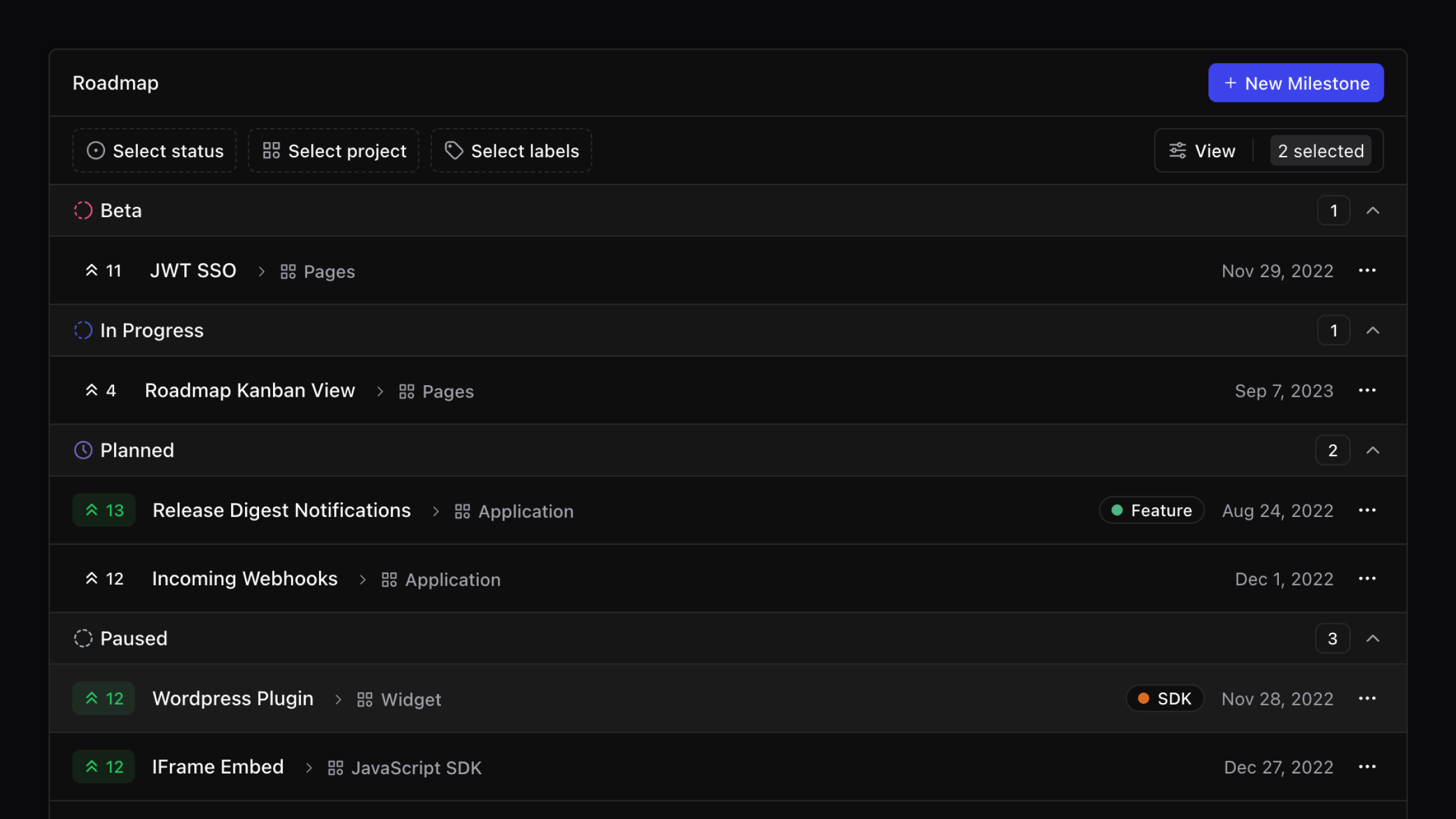
Onset has been completely rebuilt for improved performance, featuring a cleaner interface and streamlined processes to help you publish updates more easily. A brief maintenance window will occur on August 23rd, 2025, during which all your data and settings will be migrated to the new platform without any action needed from you. Key updates include a more compact releases list, a refreshed roadmap with a Kanban view, and the introduction of magic link authentication, while some integrations and features have been temporarily removed or deprecated.

We rebuilt Onset from the ground up with a cleaner interface, simpler flows, and faster performance. The focus is helping you publish clearer updates and keep customers informed with less effort.

Why we rebuilt Onset

Simply put. Our original stack was starting to show its age. As technology and our needs evolved, the system we built years ago became harder to maintain and extend. We’re rebuilding Onset to fix that at the core, not just to tidy up code but to establish a simpler, faster, and more scalable foundation. This foundation lets us ship improvements sooner and unlock the next wave of capabilities.

A seamless transition

Rewriting a platform is one thing; switching it on without disruption is another. The Onset dashboard will enter a brief maintenance mode over the weekend (August 23rd, 2025) while we migrate all workspaces to the new platform. No action is required from you, and your data and settings will be carried over.

What to expect

  • A short, scheduled maintenance window on the dashboard during the weekend (August 23rd, 2025) migration.

  • All releases, roadmap items, subscribers, and branding settings migrated to the new platform.

  • Your public pages are migrated to the new design.

After we’re back, open the dashboard and pick up right where you left off. If anything looks off, contact support@onset.io and we’ll help immediately.


Release notes

The release experience is streamlined so you can write, publish, and share in fewer steps.

List view
The releases list is more compact and readable. It reduces scrolling, surfaces key metadata at a glance.

Roadmap

We refreshed the roadmap to improve readability and planning clarity.

Kanban view
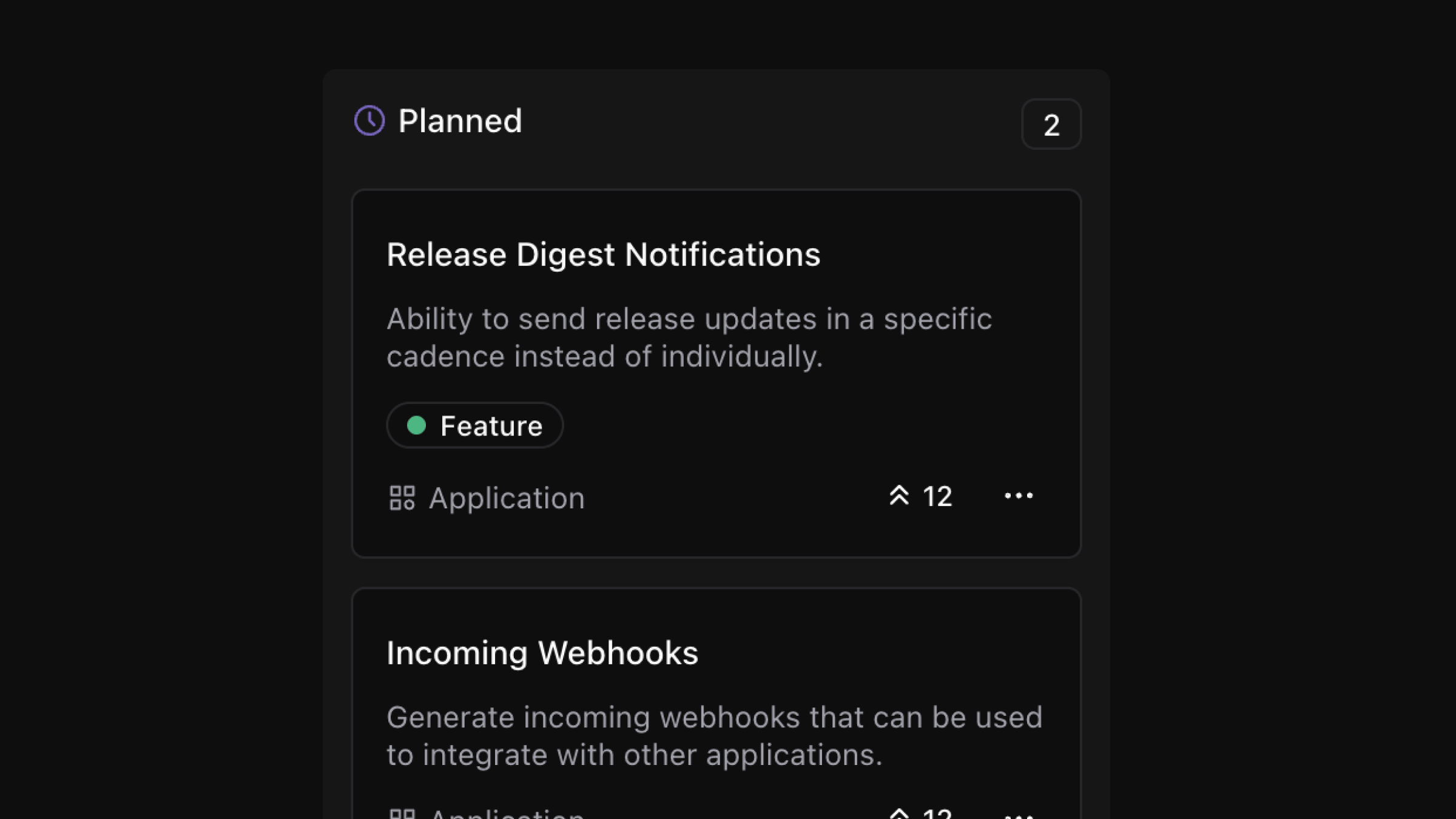
A board layout is available for teams that prefer a column view. It uses your roadmap stages and gives a quick read on distribution across columns.

Email notifications

Custom email templates are deprecated in favor of the single high quality layout. You can now preview emails and customize the look and feel to be on brand.

Integrations

We are simplifying integrations to focus on the most used status and analytics providers while we redesign the rest. GitLab, Slack, and Sentry are deprecated for now. If you rely on a deprecated integration, contact support@onset.io for transition guidance.

Authentication and security

Password login is replaced with magic link authentication. If you used passwords previously, you can continue signing in by requesting a magic link from the login screen.

Other notable changes

Some features are removed or temporarily paused while the new architecture settles.
Added

Video supported as hero media on releases.

Added

Users can now react with any emoji, not just a fixed set.

Added

Public pages show total reaction counts.

Added

Release versions are now a plain text field.

Added

Closed (completed or canceled) milestones automatically archive after a configurable period.

Added

New Instatus public page integration.

Added

New Statuspal public page integration.

Added

New Status.io public page integration.

Changed

API and Webhooks are temporarily unavailable while we finalize the new architecture.

Removed

We’ve removed milestone percentage bars to reduce ambiguity.

Removed

Roadmap status updates are being rethought.

Removed

Custom project versioning system.

Removed

Page layouts are removed to simplify maintenance and speed up improvements.

Removed

Email templates are sunset to simplify maintenance and speed up improvements.

Version
2.14.0
Project
Application
Summary

You can now easily import your Mailchimp contacts directly into Onset without needing to export them first. Additionally, the release email templates have been updated, and minor UI tweaks have been made for a better user experience. Other improvements include fixes to the unsubscribe link and CSV import functionality, along with new support for Calendar Versioning and the addition of social links in the email footer.

Migrate the contacts that you have collected in Mailchimp to Onset with ease as there's no need to export them first and import from file later.

To learn how to click here.

Fixed

Fixed the /unsubscribe link.

Changed

Updated the release email templates.

Changed

Minor UI tweaks.

Fixed

Fixed the CSV Import.

Added

New Mailchimp subscriber import.

Fixed

Fixed the release not clearing after deletion.

Added

New Calendar Versioning support.

Added

Displaying social links in the release email footer.

Schedule It for Later
Version
4.4.0
Project
Application
Labels
Feature
Announcement
Preview
Summary

The new Scheduled Releases feature is now in public beta, allowing you to create and schedule release notes for publication up to a month in advance. You can edit your notes while they're scheduled, and to use this feature, simply enable it in Onset Labs. Additional updates include options to disable roadmap upvotes, customize email alert settings, and new webhook events for scheduled and reverted releases.

Happy New Year! 🥳

We are kicking off this year with exciting news. Scheduled Releases is now in public beta and ready for you to try. This new feature allows you to create and schedule release notes to be published up to one month ahead.

When creating a new release, select a future release date and time to publish, set up your notification settings, and we will take care of the rest. You can continue making edits to your release note while it’s in the scheduled state.

In order to use this feature, you must enable Scheduled Release Notes via Onset Labs.

Added

Added an option to disable Roadmap upvotes and hide upvote count from your public page.

Added

New Alerts settings page allows you to customize email alert sender address and name.

Added

New Unsubscribed page to view recently unsubscribed recipients.

Added

Added new webhook events:

  • release:scheduled - occurs whenever a release is scheduled.

  • release:reverted - occurs whenever a release is reverted.

  • roadmap:unarchived - occurs whenever a roadmap is unarchived.

Changed

Using youtube-nocookie.com URL for the YouTube video embed to reduce third-party cookies.

Changed

Appending ?dnt=1 to embedded Vimeo video URLS to reduce third-party cookies.

Changed

Hiding noisy buttons from the embedded Loom video player.

Fixed

Improved the light/dark application theme.

Fixed

Password reset token.

Fixed

Fixed the release and roadmap slug field bug.

Fixed

Fixed the changeset type for publicly shared releases via link.

Pages v4.0.0-beta.2
Version
4.0.0-beta.2
Project
Pages
Labels
Feature
Summary

In version 4.0.0-beta.2 of Pages, you can now customize your roadmap stages to better fit your product release process. This update also includes the option to hide the roadmap creation date and improvements to the icons for Twitter and GitHub, along with fixes for minor layout issues.

Onset now allows you to customize your roadmap stages to better align with your product release process and workflow. This exciting new update brings us one step closer to integrating a Kanban view.

Added

Added an option to hide roadmap created date.

Added

Added support for custom roadmap workflow.

Changed

Updated the Twitter / X’s icon.

Fixed

Fixed the GitHub icon.

Fixed

Fixed minor layout bugs.

Introducing Layouts
Version
4.0.0-beta.1
Project
Pages
Labels
Feature
Improvements
Announcement
Preview
Summary

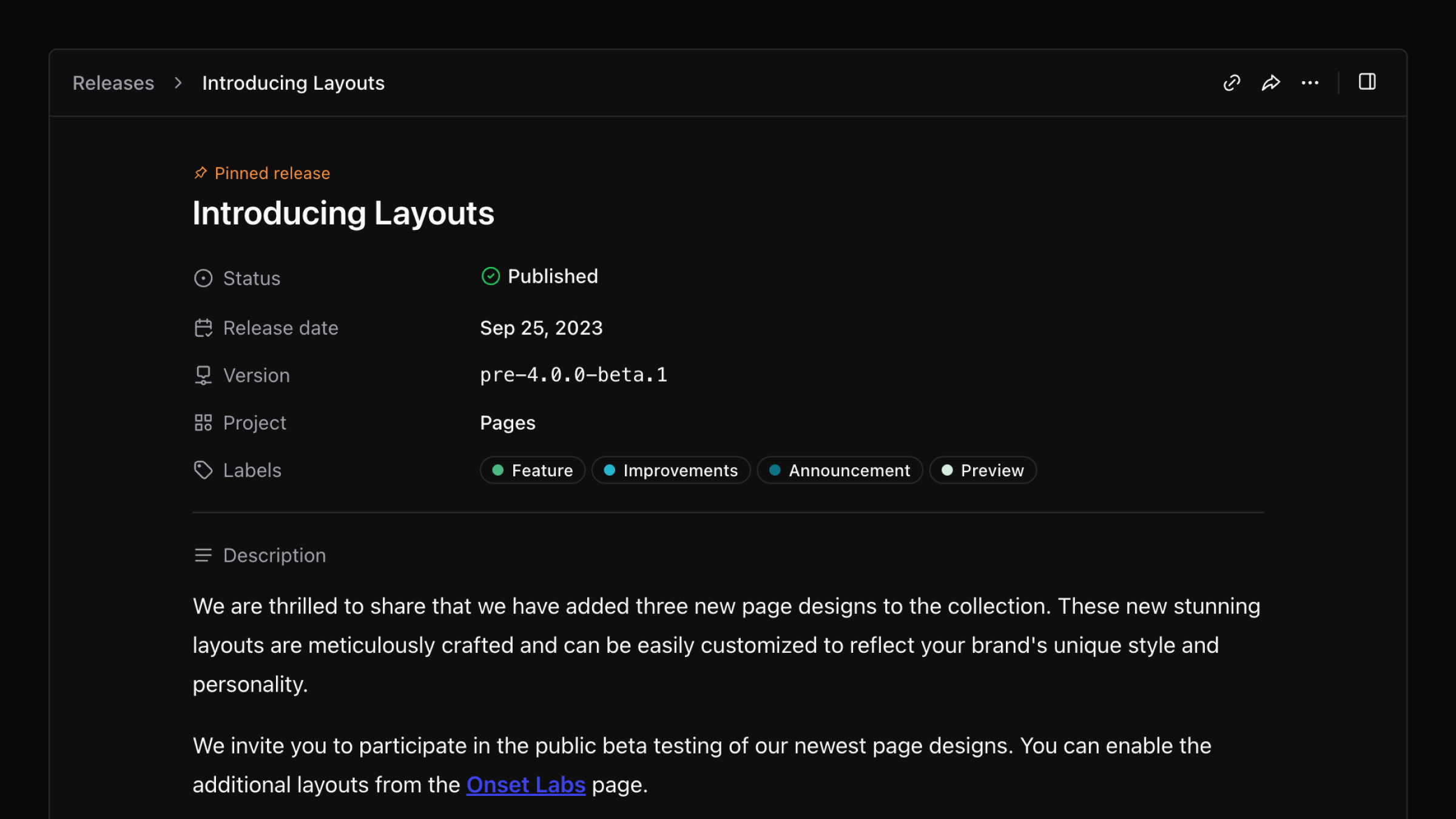
We've introduced three new customizable page layouts that allow you to better reflect your brand's style. You can now also select a default dark/light theme, disable the theme toggle, personalize social media previews, and preview changes before finalizing them. Join the public beta to explore these features and more through the Onset Labs page.

We are thrilled to share that we have added three new page designs to the collection. These new stunning layouts are meticulously crafted and can be easily customized to reflect your brand's unique style and personality.

We invite you to participate in the public beta testing of our newest page designs. You can enable the additional layouts from the Onset Labs page.

Click here to learn more and preview the new layouts!

Added

Added an option to select a default page dark/light theme mode.

Added

Added an option to disable theme mode toggle.

Added

Added an option to personalize the social media preview of your page.

Added

Added Github link support.

Added

Added an option to disable Onset branding.

Added

Added an ability to preview a page changes before fully committing to them.

Added

Added an option to set a default list for public subscribers.

Added

Added search shortcut. Press the / key to activate the search field.

Fixed

Fixed the issue with showing privately shared release notes on hidden pages.

Version
4.6.0
Project
Application
Labels
Feature
Announcement
Preview
Editor
Summary

We're excited to announce that our AI Writer is now available for testing, allowing you to enhance your copy by shortening or rewriting it with a more engaging tone. Additionally, we've added support for Vimeo video thumbnails in emails and included author details in the release creation and editing process. Several bugs related to the roadmap updates and subscriber imports have also been fixed.

We're excited to share that our AI Writer is open for testing! Our writer can help you take your copy to the next level — e.g., shortening it, rewriting it with a captivating tone, and more!

Try it out today by enabling it via the Onset Labs page!

(This release note is written with the help of AI 😉 )

Added

Added support for Vimeo video thumbnail in the email.

Added

Added author details to the release create/edit form.

Fixed

Fixed the roadmap update bug.

Fixed

Fixed the roadmap status update bug.

Fixed

Fixed the subscriber import bug.

Fixed

Fixed the Vimeo video embed bug.

Introducing Widget Builder
Version
2.2.0
Project
Widget
Labels
JavaScript
SDK
Summary

We're excited to introduce Widget Builder, a new tool that allows you to easily customize your widgets with various options for color, placement, and more. You can see your changes in real-time, ensuring your widget looks just the way you want it. Check it out here.

We're thrilled to announce the release of Widget Builder, a powerful new tool that makes it easier than ever to customize your widgets and see your changes in real-time!

With Widget Builder, you have complete control over your widget preferences. You can choose from a range of options to customize the look and feel of your widget, including color schemes, placement, and more. And the best part? You can see your changes live as you make them, so you can be confident that your widget will look exactly how you want it to.

Click here to check it out.

Version
4.5.0
Project
Application
Labels
Feature
Improvements
Announcement
Editor
Summary

In version 4.5.0, Subscriber Lists is now fully available, allowing you to better organize and target your email notifications. Additionally, we are dynamically generating Open Graph images for release notes, enhancing their visibility on social media. A new Plain Email Template has also been introduced, providing a clean design focused on your content.

Subscriber Lists

We’re excited to announce Subscriber Lists is out of beta! A powerful new feature that will give you even more control over your email notifications. You can now organize your subscribers into lists, making it easier than ever to target the exact audience you want to alert.


Open Graph (OG) Images

Get ready to stand out on social media! We’re thrilled to announce that we are now dynamically generating Open Graph (OG) images for all release notes and roadmap items, making them more eye-catching in social media feeds.


Plain Email Template

And finally, we’re introducing our new Plain Email Template. This slim, minimalist design is focused solely on the content of your release notes, ensuring that your subscribers can focus on what’s important without any unnecessary distractions.

Added

Ability to update the release change item type.

Added

Subscriber Lists is out of beta. 👏

Added

Added horizontal line support.

Fixed

Fixed the label filter bug.

Fixed

Fixed the invalid file type upload error handler.

Fixed

Fixed the roadmap deletion bug.

Fixed

Fixed the editor menu dropdown focus bug.

Fixed

Fixed the shared release project.

Fixed

Fixed the roadmap upvote count.

Removed

Removed the dark mode image contrast filter.

Advanced Page Protection
Labels
Feature
Improvements
Announcement
Preview
Summary

Onset has introduced JWT Single Sign-on and Protected Page Scopes to improve user authentication and content access. JWT SSO simplifies the login process, while Protected Page Scopes allow selective sharing of Release Notes and Roadmap items, ensuring secure access to other content. Both features are now in public beta and can be enabled in Onset Labs.

Introducing the latest additions to Onset's suite of features, JWT Single Sign-on and Protected Page Scopes. Our goal with these features is to enhance the overall user experience by streamlining the login process while providing maximum flexibility and control.

JWT Single Sign-on

JWT SSO allows you to authenticate users in your systems, tell Onset that the user has been authenticated, and grant your visitors access to your page.

Protected Page Scopes

Page Scopes allow you to publicize Release Notes and Roadmap items with specific projects or labels while maintaining secure, authorized access to the rest of the content.

JWT SSO and Page Scopes are ready for public beta and available for testing. You can enable them from the Onset Labs page.

Added

Added /robots.txt to public pages.

Added

Added new “Preferences” page to manage all page related settings.

Changed

Moved settings options from the Privacy page to the new Preferences page.

Fixed

Fixed the pagination bug related to release and roadmap list page.

Fixed

Excluded unsubscribed emails from the “All Subscribers” list.

Fixed

Fixed the page content reload on project and label updates.

Mar 11, 2023

API v1.2.0

Version
1.2.0
Project
API
Labels
Improvements
SDK
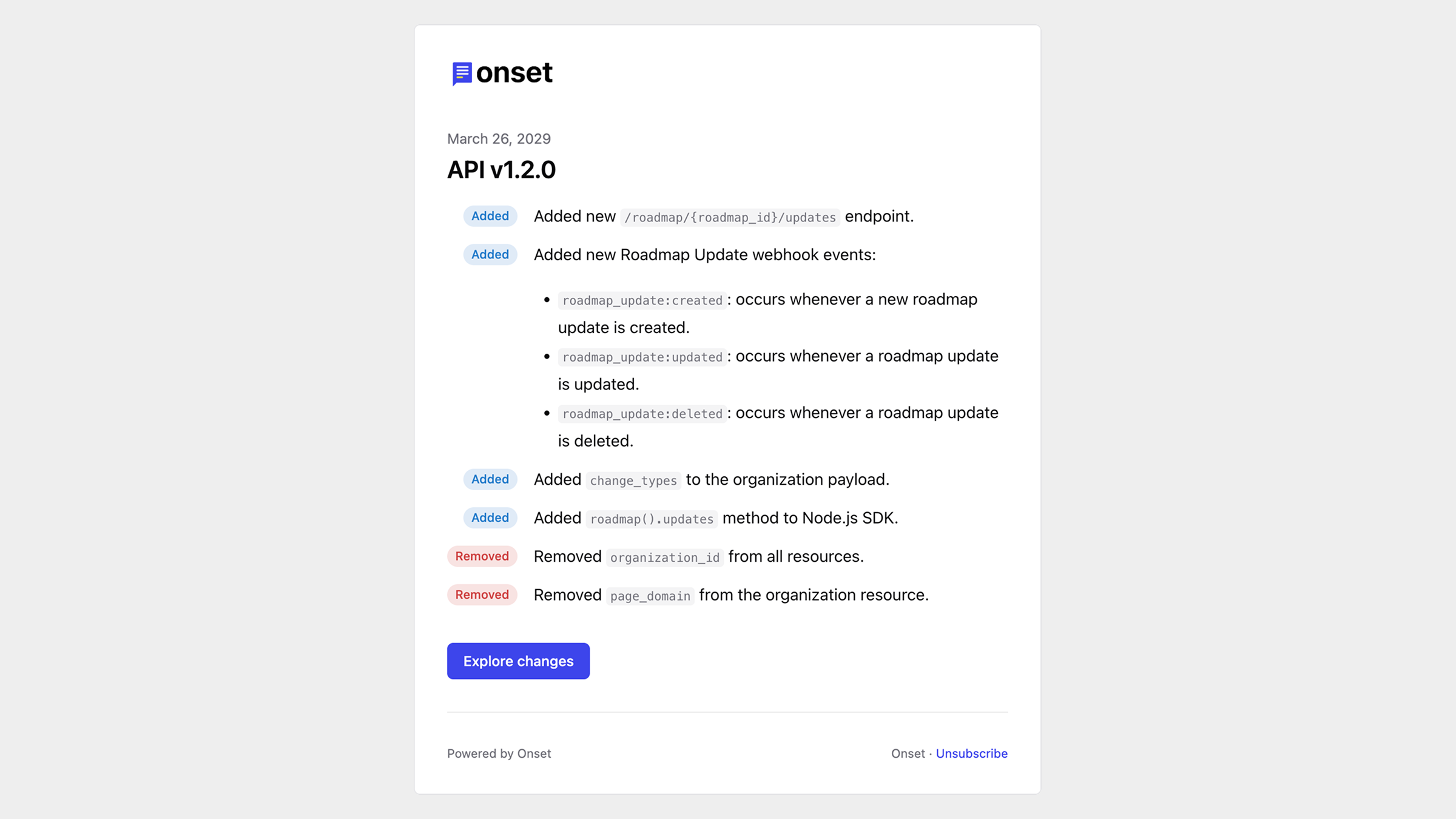
Added

Added new /roadmap/{roadmap_id}/updates endpoint.

Added

Added new Roadmap Update webhook events:

  • roadmap_update:created: occurs whenever a new roadmap update is created.

  • roadmap_update:updated: occurs whenever a roadmap update is updated.

  • roadmap_update:deleted: occurs whenever a roadmap update is deleted.

Added

Added change_types to the organization payload.

Added

Added roadmap().updates method to Node.js SDK.

Removed

Removed organization_id from all resources.

Removed

Removed page_domain from the organization resource.

Labels
Improvements
Summary

In the Spring Cleaning 2013 update, we've optimized our backend for better performance, resulting in a faster and more reliable user experience. Key changes include a new "Plain" email template, improved display of Roadmap items on Project and Label pages, and a vibrant new default avatar. Additionally, we've fixed various bugs related to Roadmap creation, page performance, and video embeds.

In this version, we took the opportunity to conduct some much-needed "spring cleaning" of our backend engines. This involved reviewing and optimizing various aspects of our infrastructure to ensure everything operates as smoothly and efficiently as possible.

As a result of these optimizations, the overall performance of our applications has been significantly improved. You should notice a faster, more responsive experience with fewer glitches and errors.

Added

Added new “Plain” email template.

Changed

Project and Label pages display the top three items from the Roadmap by default, with the option to view additional items if desired.

Changed

Changed the default avatar image to more vibrant icons with initials.

Changed

Increased the Organization name character limit to 32.

Changed

Improved the Page performance and the load time.

Fixed

Fixed the bug when creating a Roadmap or Release from the Label page.

Fixed

Fixed the Roadmap page performance issues.

Fixed

Fixed the YouTube video embed URL.

Fixed

Fixed the Roadmap Label filter bug.

Fixed

Fixed the Page translations.

Jan 28, 2023

Widget v2.1.0

Version
2.1.0
Project
Widget
Labels
JavaScript
SDK
Added

Added new loaded event. Includes releases and roadmap items.

Added

Added empty state copy.

Changed

BREAKING CHANGE - the ready event doesn’t include release data. Use the new loaded event instead.

Changed

The new_release event now triggered for custom triggers as well.

Fixed

Fixed the scroll position on project and view select.

Dec 8, 2022

Webhooks 2.0

Version
4.3.0
Project
Application
Labels
Improvements
Integration
Summary

Webhooks 2.0 has been completely revamped to support a wider range of events beyond just release notes. Users can now subscribe to events from various entities like releases, roadmaps, and projects, enabling more robust integrations for tasks such as triggering CI builds or sending messages based on specific conditions. For a full list of supported events, please refer to our documentation.

We made an entire overhaul of our webhook integrations. Initially, when we developed the webhooks feature. It was very minimal and only supported webhook events relating to release notes. While this worked initially, our platform grew and required more comprehensive webhook support.

With the new Webhooks 2.0 release, we have opened up the Onset platform to provide the possibility to develop more extensive integrations. You can subscribe and listen to events from almost all entities, such as releases, roadmaps, projects, etc. Using the emitted notification and data, you could trigger CI builds, perform calculations, or send messages on specific conditions – you name it.

The entire list of supported entities and events is available in our documentation.

Project
JavaScript SDK
Labels
JavaScript
SDK
Summary

We've introduced two new methods for our JavaScript Widget: onsetWidget.update() allows you to change widget options, making it easier to match your site's theme, while onsetWidget.reload() refreshes the widget with updated data and settings.

We’ve added two new handy methods to our JavaScript Widget.

  • onsetWidget.update() - updates widget options. Useful when updating the widget’s theme to match the embedded site’s look.

  • onsetWidget.reload() - reloads the widget with the new data source and options.

All About the Attachments
Version
4.2.0
Project
Application
Labels
Feature
Announcement
Editor
Summary

The new attachments feature allows you to link external resources to roadmap items and release notes, enhancing connectivity between them. You can now add links, upload files (up to 10MB), and create relationships between roadmap items and release notes.

We are excited to announce that the long waited attachments feature has finally landed! Now you can link external resources to roadmap items and release notes.

In addition to external resources, attachments allow you to associate release notes with roadmap items and vice versa.

Currently, we support three types of attachments:

  • Links

  • File (10MB limit)

  • Roadmap ←→ Release relations

Oct 31, 2022

Application v4.1.0

Version
4.1.0
Project
Application
Labels
Feature
Improvements
Announcement
Editor
Summary

In version 4.1.0, the application introduces a permanent dark mode option and emoji support for easier communication. Users can now customize release changeset statuses and control page visibility settings, which default to hidden. Additionally, business tier users can add custom CSS to their public pages, enhancing personalization.

We have been working hard and have exciting new features to share!

Application Dark Mode

Our journey to the dark side is complete. You can set your preferred appearance permanently in the User Settings or have it switch based on your system preference.

Emoji Support 👋

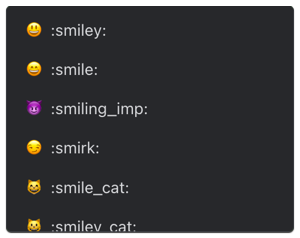
Typing : will bring up a list of suggested emojis. The list will filter as you type, so once you find the emoji you're looking for, select it from the list and press Enter to complete the highlighted result.

We are working on automatically converting common emoticons into emojis next.

Customize Release Changeset Status

The default release change types can now be customized to suit your workflow better. This feature is frequently requested, and we are happy to deliver it 🙂. Add, edit or change the color of release changeset types in Settings → Workflow.

Page Visibility Settings

We’ve added new visibility options to give finer control over who can see your page. Previously, to make your page visible publicly, you had to have at least one public release note or a roadmap item, and your page would automatically be available to the public. Going forward, you are required to toggle page visibility manually. All pages are defaulted to hidden, and you choose when you want to share it with the world.

Available Options:

  • Hidden: page is hidden from the public.

  • Public: page is visible to everyone.

  • Password Protected: page is visible only to ones with a password.

Custom Page CSS

We have fully revamped our public page and made it extensible. Business tier users can now insert custom CSS stylesheets under Settings → Appearance and have better control over the look and feel of the page.

Added

Share-links are now out of beta.

Added

Password-protected pages are now out of beta.

Added

New Workflow settings that allows you to customize release changeset options.

Added

New user Preference settings added to control interface theme option.

Added

Showing release reaction count on hover.

Changed

Centralized all import functionality under one roof. Migrated Subscriber CSV and Mailchimp import settings into Settings → Import.

Changed

Sorting application roadmap items by hotness 🔥 rank (coming soon for the Widget and Page).

Changed

Updated the sample data for new organizations.

Fixed

Fixed the privacy settings bug.

Fixed

Fixed the changeset CMD/CTRL+RETURN keyboard shortcut.

Security

Page visibility now controlled via toggle in Settings → Privacy.

Security

Increased member privilege. Organization members now can create, edit, and delete projects.

Share Your Releases Privately
Version
3.2.0
Project
Pages
Labels
Feature
Announcement
Preview
Summary

You can now share draft release notes privately using a new “Public Share Link” feature, allowing you to generate a unique link for any release, whether it's private or in draft form. This feature can be enabled in the Settings under Labs, making it easier to preview your notes before they go public.

Another exciting release, friends!

Occasionally you want to share a draft version of your release notes before publishing them to the world. We are testing a new “Public Share Link” feature that allows you to generate a unique link for your releases and share them with anyone outside your organization. The release can be in any state, private, or draft.

We generated a share link for one of our private draft releases as a demo. Click here to check it out.

You can enable this feature via Settings → Labs.

P.S. It’s also great for previewing your release notes before making them publicly available.

Onset v4 - Roadmap
Aug 24, 2022

Onset v4 - Roadmap

Version
4.0.0
Project
Application
Labels
Announcement
Preview
Summary

Onset 4.0 introduces a new Roadmap feature in public beta, allowing customers to see upcoming features and vote on their favorites. Key updates include advanced filters for better search, a new sidebar for easier project and label management, and the removal of project requirements for broader release notes. Additionally, performance improvements and various fixes enhance overall functionality.

Major release alert! Over the past few months, we’ve been working on Onset 4.0, a significant update with great new features. We are excited to announce that our new Roadmap feature is now in public beta and ready to go.

Use the new Roadmap feature to give your customers insight into awesome new features you have in plan. The upvote functionality allows you to learn about features your users are most excited about and prioritize accordingly.

The Roadmap is still under beta, and organization admins can enable it via Settings → Labs.

P.S. Check out our roadmap. 😊

Added

Advanced Filters allows you to apply several filter criteria simultaneously.

Added

The new sidebar allows you to manage projects and labels from a single place.

Changed

Projects are optional. We understand that not all releases fit into a single project, so we removed the project requirement. You can now create broader general release notes.

Changed

Releases are “grouped” by month and year.

Changed

Increased the External Header link title character limit to 30.

Changed

Public page performance improvements.

Removed

Removed the projects page in favor of the new sidebar.

Removed

Removed the labels page in favor of the new sidebar.

Fixed

Fixed the RSS atom feeds.

Fixed

Fixed the release author avatar image.

Fixed

Fixed the release pin.

Version
3.2.0
Project
Pages
Summary

This release introduces a more detailed cookie consent window to enhance compliance with GDPR and CCPA regulations. The update clarifies the types of cookies used, including those for theme preferences and subscription pop-up settings, ensuring users are informed about their data usage. Additionally, consent now extends to cookies created by Google Analytics and Google Pixel for tracking user interactions.

This release is all about consent, cookie consent, that is! To be more GDPR and CCPA compliant, we have added a more rigid and granular cookie consent window.

Onset uses cookies to remember user interaction purposes only. The cookies used (as of 08/07/2020) are listed below:

  • onset:theme - stores user’s dark/light theme choice.

  • onset:subscribe - stores whether the user hidden the subscription pop-up window.

  • onset:release_reactions - store the user’s release reactions.

If you have Google Analytics integration enabled. Google pixel creates and uses cookies to measure user interactions. No worries, consent covers those as well.

Introducing Hero Images
Version
3.7.0
Project
Application
Labels
Feature
Announcement
Editor
Summary

You can now enhance your release notes with a striking hero image to make a memorable first impression. Additionally, a release activity log is now available, and we've updated the icon set for a fresher look. We've also fixed issues with drag-and-remove actions and the Google Analytics cookie domain.

Make your first impression count with the help of a hero image! Or is it gyro 🥙? Don’t matter! With this new feature, you can add a large, flashy image to your release note showing off your cool new feature.

Added

Added release hero(🥙) image!

Added

Displaying release activity log.

Changed

New snazzy icon set.

Fixed

Fixed the release change drag and remove actions.

Fixed

Fixed Google Analytics cookie domain.

Project
JavaScript SDK
Labels
JavaScript
SDK
Summary

The Onset JavaScript SDK is now officially available, offering three packages for developers: @onsetio/browser for public releases in the browser, @onsetio/node for API interactions, and @onsetio/widget for integrating widgets. All packages can be easily installed via NPM or YARN and come with type definitions for better development support.

Developers rejoice. Onset JavaScript SDK is officially here! We have made three different packages available for your disposal. All packages are available via NPM and YARN and include type definitions.

@onsetio/browser

Primarily used in the browser for loading public releases.

@onsetio/node

Onset API JavaScript interface.

@onsetio/widget

We recommend that you should always be loaded the Widget.js script directly from https://widget.onset.io/widget.js, rather than including it in a bundle or host yourself. If must bundle the Widget code into your application, you can use this package.

Version
3.1.0
Project
Pages
Labels
Feature
Announcement
Preview
Summary

You can now change the default language of your public page, with support for English, Spanish, Portuguese, French, German, and Dutch. This feature is in public beta for Team and Business members and can be enabled in the Settings under Labs. The selected language will also apply to release notifications.

Hola! Bonjour! Guten tag! Olá! Hallo!

We are excited to share that you can now change the default language of your public page. This highly anticipated feature is currently in public beta and only available to our 👬 Team and 👔 Business members.

Languages we are currently supporting:

  • English

  • Español

  • Português

  • Français

  • Deutsch

  • Nederlands

You can enable this feature via Settings → Labs. Once turned on, you should see a “Page Language” dropdown in the Settings → Appearance section of your page settings.

Also, don’t be worried. The selected language will also apply to the release notifications.

If you require translation to another language, no problem, reach out to us!

Jun 11, 2022

Widget v2.0.0

Version
2.0.0
Project
Widget
Labels
Feature
JavaScript
Summary

Widget v2.0.0 introduces several key features, including unread release badges that notify users of new updates every five minutes, and customizable widget directions for a more flexible display. Users can now subscribe to widget events for better interaction, and additional attributes allow for more control over the widget's appearance and behavior.

We got a ton of new features for you! A few notable ones are:

  • Unread release badges - notify your users of new releases by showing the count in the trigger badge. We check for new releases every five(5) minutes.

  • Widget directions - adjust the direction widget window appears. You can emulate a modal window.

  • Events - subscribe to widget events. Read more about them in our doc.

Added

Added a trigger badge that shows the count of unread releases.

Added

Added new hideBadge attribute to hide the new trigger badge count.

Added

Added new direction and triggerDirection attributes to specify the direction in which the widget should appear.

  • direction - accepted values: left, right, center.

  • triggerDirection - accepted values: left, right.

Added

Added new width attribute to specify the width of the widget. Useful for when using the center direction and simulating a modal window.

Added

Ability to click on the release links.

Added

Added new ready event. Triggered when the widget is loaded and ready to go.

Added

Added new `new_release` event. Triggered when new release is available.

Added

Added new `read` event. Triggered when new release is read.

Fixed

Fixed the Subscribe button URL

Fixed

Fixed the project scoping.

Fixed

Fixed the release change list font size.

Jun 11, 2022

Widget v1.1.0

Version
1.1.0
Project
Widget
Labels
Feature
JavaScript
Summary

Widget v1.1.0 introduces dark mode, which is now enabled programmatically without any toggles. Users can set the theme attribute when embedding the widget, choosing from light, dark, or auto to match their system settings, with the default set to light. Future updates may change the default to auto.

We’ve gone dark y’all! We are following up on our previous release and rolling out dark mode for our widget. Unlike the page, dark mode is enabled programmatically, with no toggles.

While embedding the widget, you now have an optional theme attribute that you can pass. It accepts one of three values:

  1. light - light theme

  2. dark - dark theme

  3. auto - auto-detect based on the user’s computer system settings

We default to our usual light theme to avoid shocking your eyes with the new theme. In the future, this property default value be changed to auto.

onsetWidgetSettings = {
  page: 'releases.onset.io',
  triggerText: "🔔 What's New",
  theme: 'dark',
};

Check out our widget documentation for more configuration options.

Version
3.0.0
Project
Pages
Labels
Feature
Announcement
Summary

We’re excited to announce the launch of Dark Mode, which automatically adjusts based on your computer's settings. You can also manually switch themes in the header if you prefer. Remember to upload a dark mode-friendly logo in the Appearance settings.

We’ve got a special gift for you today - Onset dark mode. It’s finally here! Page light and dark themes are automatically toggled based on your computer’s system settings. Of course, you can override the system settings by manually toggling the switch in the header.

P.S. Don’t forget to upload a dark mode-friendly version of your logo in the Settings → Appearance.

Version
3.6.0
Project
Application
Labels
Feature
Improvements
Editor
Summary

In version 3.6.0, the editor now allows users to upload images directly, eliminating the need for external hosting. Additionally, users can create ordered lists and support for .ico images for page icons has been added. Various billing subscription bugs have also been fixed for a smoother experience.

We worked on our editor and made various changes that we are proud to share. The main one that we are most excited about is the new image upload functionality.

Previously, we only allowed you to embed images via URL from an external source. We understand that it was somewhat of a frustrating process, so we decided to fix it. You can now upload images directly to the platform without using any other third-party hosting, and it’s completely free.

🤔 Did you know?
While adding changes, you can use cmd/ctrl + return to add a new change line item.

Added

Ability to upload images directly in the editor.

Added

Option to add ordered list items.

Added

Added .ico image support for page icons.

Fixed

Fixed various billing subscription bugs.

May 25, 2022

Introducing Labels

Version
3.5.0
Project
Application
Labels
Feature
Announcement
Summary

We've introduced a new feature called Labels, allowing you to organize and filter releases across projects more effectively. You can now send release notifications from a custom email address and create organizations without sample data. Additionally, we've updated the public release indicator and fixed several bugs on the integration settings page.

We cooked up another new feature, Labels! Create labels to help organize and filter releases across projects.

Added

From Address - send release notification from a custom email address.

Added

Option to create organizations without a sample data.

Changed

Changed the public release indicator to something little fancier.

Fixed

Fixed the various integration settings page bugs.

May 23, 2022

API v1.1.0

Version
1.1.0
Project
API
Labels
Feature
Improvements
Added

/labels - endpoint to retrieve, create, edit and delete labels.

Added

To label releases, you can pass array of label_ids in the release payload.

Changed

Returning slug in the release payload.

Changed

Updated the documentation with better examples.

Fixed

Fixed the DELETE endpoints.

Apr 12, 2022

Loom Video Support

Version
3.4.0
Project
Application
Labels
Feature
Editor
Summary

You can now embed Loom videos directly into your release notes, enhancing your content with visual support. Additionally, you can edit existing embedded videos, images, and links more easily, and we've resolved issues with Mailchimp sync to ensure accurate subscription dates.

You can now insert Loom videos into your release notes!

Here is an example of a valid Loom video URL:

https://www.loom.com/share/f8e954b12c0446db8dc0df0fba4d5722

Added

Loom video support.

Added

Ability to edit already embedded videos, images and links.

Fixed

Disabled the href links while editing, so you can easily update them.

Fixed

Fixed the Mailchimp sync and using the original subscriber timestamp as the subscription date.

Version
3.3.0
Project
Application
Labels
Editor
Summary

The editor now automatically converts specific characters into their typographic equivalents, enhancing text presentation. For example, it changes symbols like (c) to © and fractions like 1/2 to ½. If you want to revert any changes, simply press Backspace.

Our editor now automatically converts certain characters to correct typographic characters. If you want to undo the converted result, just hit Backspace once.

Symbols

  • (c) to a copyright sign ©

  • (r) to registered trademark sign ®

  • (tm) to registered trademark sign

Math

  • 1/2 to one half ½

  • 1/4 to one quarter ¼

  • 3/4 to three quarters ¾

  • +/- to plus/minus sign ±

  • != to a not equal sign

  • 2 * 3 or 2x3 to a multiplication sign 2×3

  • ^2 a superscript two ²

  • ^3 a superscript three ³

Quotes

  • Smart” opening double-quotes

  • “Smart closing double-quotes

  • Smart’ opening single quotes

  • ‘Smart closing single quotes

  • << to left-pointing double angle quotation mark «

  • >> to right-pointing double angle quotation mark »

Other

  • -- to an emdash

  • ... to an ellipsis character

  • <‐ to an arrow

  • ‐> to an arrow

Mar 26, 2022

Application v3.2.0

Version
3.2.0
Project
Application
Summary

In version 3.2.0, you can now add links to your website and important resources directly in the header of your release notes page, along with clickable social media icons in the sidebar. The update also includes a notification for unsaved releases, highlights outdated draft release dates, and allows you to display release author information. Additionally, there are fixes for Slack integration settings and improved responsiveness for <pre> tags.

You can now add links to your website and other important resources in the header of your release notes page.

Just add the URLs you'd like to link to, and they'll appear in the header. If you add social media links, they'll appear as clickable icons on the sidebar.

Added

Added new Header Links section to the Settings → External Links page.

Added

Unsaved release discard notification so you don't accidentally lose your work.

Added

Outdated draft release date highlight.

Added

Added ability to display release author info. Enable it via the Settings → Privacy page.

Fixed

Slack integration settings.

Fixed

<pre> tag responsiveness fix.

Mar 19, 2022

Application v3.1.1

Version
3.1.1
Project
Application
Summary

In version 3.1.1, the editor now allows users to easily insert code blocks using three backticks or the insert menu, and create blockquotes with a greater than sign. Additionally, a new shortcut (CMD/CTRL + RETURN) has been added for adding release changes, image URL validation now supports PNG, JPG, GIF, and SVG formats, and video controls in the editor have been disabled.

We made some exciting changes to the editor.

Code Blocks

To add a code block, use the insert menu of the editor or just type three backticks ( ```) at the start and end of your code snippet. Your finished code block will look like this:

Array(13).join('wat' - 1) + ' Batman!'; // Theme song!

Quotes

To create a blockquote, start a line with greater than (>) followed by a space or insert it via the menu.

I'm not saying I'm Batman. I'm just saying no one has ever seen Batman and me in the same room together.

Added

CMD/CTRL + RETURN shortcut to add new release change.

Added

Added image url validation. Supported formats are, PNG, JPG, GIF, SVG.

Fixed

Disabled the video controls in the editor.

Version
2.1.0
Project
Pages
Summary

This release introduces password-protected pages, allowing you to restrict access to specific content by sharing a password. This feature is available for paid customers on the Team Plan and above, and can be enabled in the Labs settings. Additional updates include options to disable public subscribers and prevent search engines from indexing your release notes.

In this release, we are focusing on page privacy. Password-protected pages are now available for preview. Lock your page and only allow those with the password to view it.

Currently, the password-protected privacy layer must be turned on via the Labs settings. To enable the feature for your workspace, please navigate to Settings → Labs.

Password-protected pages are available for paid customers only, Team Plan, and above.

Added

Disable public subscribers.

Added

Disable search engines from crawling your release notes.

Added

Password-protected page.

Fixed

Statuspage loading bug.

Mar 14, 2022

Application v3.1.0

Version
3.1.0
Project
Application
Added

Ability to drag and sort release changes.

Added

New Zapier integration. Onset API must be turned on via the Lab settings.

Added

New page privacy settings screen.

Added

Password-protected pages are now available for preview.

Changed

More prominent pinned release indicator.

Changed

Moved the release project selection to the compose screen.

Changed

On release update, all integrations and email toggles are disabled by default.

Changed

Alphabetically sorting projects in the navigation.

Removed

Removed the project list dropdown from the "New Release" button.

Fixed

Fixed the public release URL button in the main navigation.

Fixed

Fixed the release permalink not updating correctly.

Version
3.0.0
Project
Application
Added

Release visibility - control who can view your updates on an individual release note basis.

Added

Pinned releases - pin the most important releases to the top of the page.

Added

Onset Labs - experiment with our latest and greatest features before they're available to everyone.

Changed

Webhooks are now relocated under the integrations section of the app.

Changed

From now on, subscribers are categorized into two groups, public and private.
Private Subscribers - receive notifications for both public and privately published releases.
Public Subscribers
- only receive notifications about publicly published release notes.

Public page subscribers are automatically categorized as "Public Subscribers."

Removed

Removed the project-level privacy toggle to make way for the new release-level visibility management.

Version
1.0.0-beta.1
Project
API
Summary

The Onset API is now in public beta, allowing all developers to create integrations accessible to both free and paid users. To enable the API for your workspace, go to Settings → Labs. Note that this version is still in draft phase, so some changes may occur as development continues.

The Onset API is now available for all developers to explore and build upon. Integrations built on the API are available to all Onset users on free or paid plans.

Currently, Onset API is must be turned on via the Labs settings. To enable the API for your workspace, please navigate to Settings → Labs.

To learn more, visit the API Reference section in our docs.

Please Note: The current version of the web API is considered a draft phase. While we don’t expect public endpoints to change greatly, keep in mind that the API is still under development.

Version
2.16.0
Project
Application
Summary

We've revamped the release creation process to enhance your experience. You can now use a new rich text editor while still having markdown support, set custom URLs for your releases, and select or change the author. Additionally, we've fixed several bugs related to email notifications and media rendering.

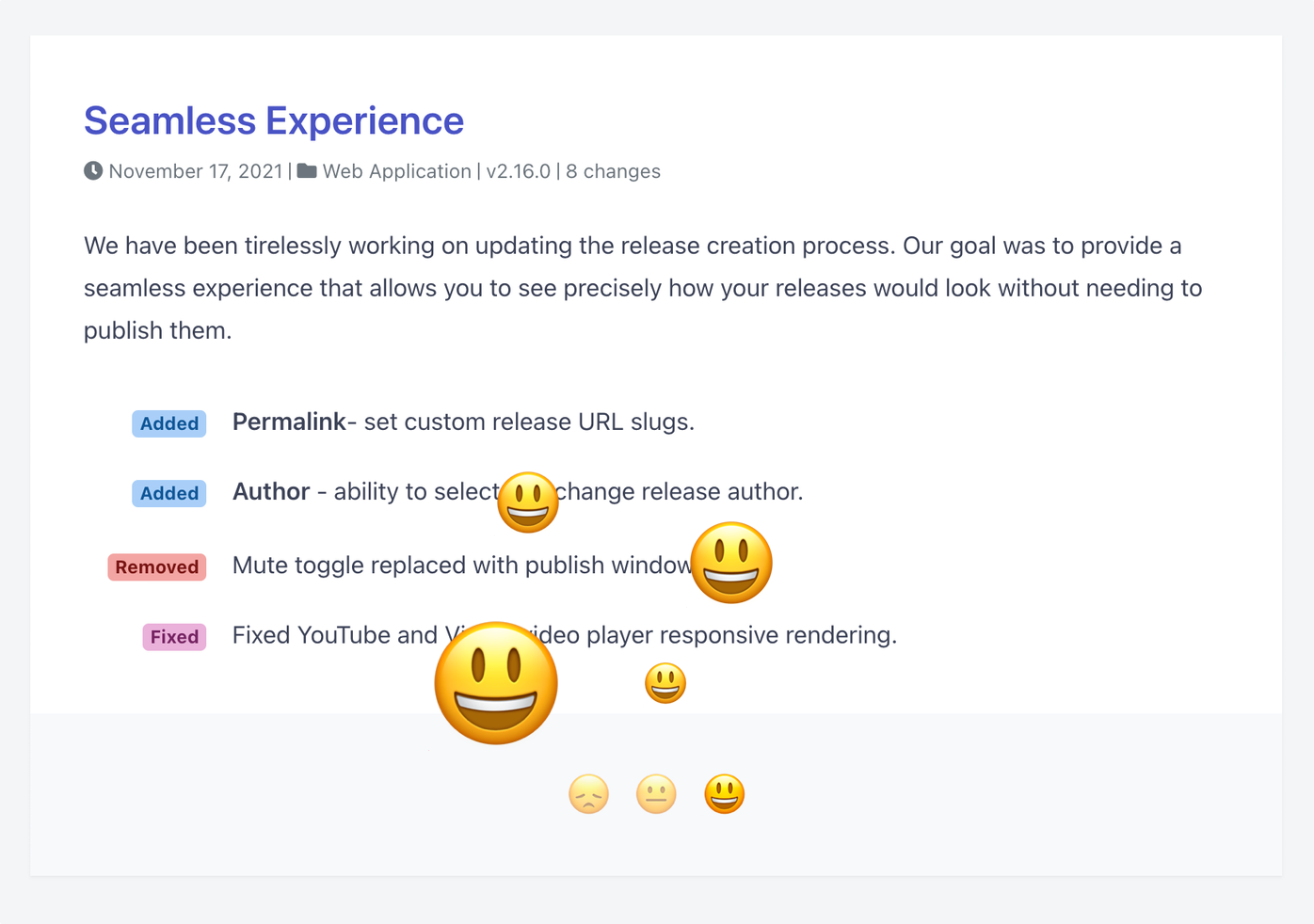
We have been tirelessly working on updating the release creation process. Our goal was to provide a seamless experience that allows you to see precisely how your releases would look without needing to publish them.

Added

New Editor - rich text editor, markdown is still supported.

Added

Permalink- set custom release URL slugs.

Added

Author - ability to select and change release author.

Removed

Mute toggle replaced with publish window.

Fixed

Fixed submitting draft release email notifications.

Fixed

Fixed image responsive rendering.

Fixed

Fixed YouTube and Vimeo video player responsive rendering.

Fixed

Fixed the sample release creation bug.

May 4, 2020

Release Page

Version
2.15.0
Project
Application
Summary

The latest version of Onset introduces a unified view for all your release notes across projects and a new search feature to easily find information. The design is now consistent between private and public notes, and some settings have been reorganized for better accessibility. Additionally, the project name limit has been increased to 30 characters, while the project grid view and search bar have been removed.

Our newest, fastest, best-performing, shiniest, most nutritious, and delicious version of Onset is now fully rolled out, so that's the one you're now using. Brilliant.

Added

All Releases - view all your release notes across your projects under one umbrella.

Added

Ability to search across all your projects.

Changed

Consistent look and feel between your private and public release notes.

Changed

Moved the settings button to the Projects page.

Changed

Moved the Privacy settings into Project settings page.

Changed

Displaying release reactions percentile.

Changed

Increased the Project name maximum limit to 30 characters.

Removed

Removed the Project grid view.

Removed

Removed the Project search bar.

Apr 27, 2020

Pages 2.0

Version
2.0.0
Project
Pages
Summary

Onset Pages 2.0 introduces a streamlined experience for users with all release notes consolidated on a single page. The new floating sidebar enhances navigation, allowing quick searches and easy project toggling. Additionally, readers can now subscribe to multiple projects simultaneously for better updates.

Our design and development team has been diligently laboring over every last detail of Onset Pages for the last several months. Today we are so excited to show off this brand new way to use public pages.

Here are a few highlights:

  • All Releases - all your release notes under a single page.

  • New Sidebar - floating sidebar that allows your users to search quickly and toggle between projects.

  • Subscription Window - the ability for your readers to subscribe to multiple projects at once.

Version
2.14.1
Project
Application
Fixed

Fixed subscribers not page reloading.

Changed

Improved Project selection type experience.

Changed

Updated Slack integration icon.

Jul 30, 2019

Video Support

Version
2.13.0
Project
Application
Summary

We now support video embeds from YouTube and Vimeo, making it easy to include videos in your releases. You can add a video by clicking the new film icon in the editor or by using markdown to wrap the video link. Additionally, we've updated the release meta view and fixed a GitHub reference link.

We are excited to announce support for video embeds.

To add a video to your release, simply click on the new film icon in the editor:

0

Or wrap the video link in a markdown like so:

![Beautiful Nature](https://www.youtube.com/watch?v=DGQwd1_dpuc)

The code above will result in 🌊:

Video embed support is currently limited to YouTube and Vimeo.

Changed

Updated the release meta view.

Fixed

Fixed the GitHub refrerence link.

Jul 28, 2019

Pages v1.7.0

Version
1.7.0
Project
Pages
Added

Displaying RSS feed icon.

Added

JSON & RSS feeds are now available across all projects.

Example:

  • https://releases.onset.io/feed.json

  • https://releases.onset.io/feed.xml

Added

YouTube and Vimeo video support.

Changed

Always displaying title in the JSON and RSS feeds.

Changed

Added hyperlink to the release title.

Version
2.12.0
Project
Application
Summary

In version 2.12.0, we've introduced version-less projects, allowing you to manage releases across multiple technologies more effectively. Additionally, we've added release reactions and fixed an issue where the project name wasn't appearing in email subjects.

After numerous requests and feedback, we are delighted to announce the new version-less projects. We understand that some projects might be composed of multiple technologies, API, UI, and services, etc...

Projects without versioning enables you to compose releases about your product, rather than a single service.

Added

Release reactions.

Added

New project type.

Fixed

Fixed the project name not showing up in the email subject.

Version
1.6.0
Project
Pages
Summary

The new Reactions feature allows users to express their feelings about a release by selecting a happy, neutral, or disappointed face after reading it. This feedback helps you understand customer sentiment more effectively.

Reactions let users rate a release. Once a customer finishes reading your release, they can let you know how they feel about it by reacting with a happy, neutral or disappointed face.

Version
2.11.0
Project
Application
Added

Ability to revert published releases back to draft.

Added

Sentry Integration

Changed

Showing full release dates.

Fixed

Fixed the release text overflow bug.

Version
1.5.0
Project
Pages
Added

XML release reponse:

Project: https://:organization.onset.io/:project.xml Release: https://:organization.onset.io/:project/:version.xml

Security

Loosening the CORS requirements.

Fixed

Fixed the text wrapping.

Added

Added project and release URLs to XML and JSON responses.

Version
2.10.1
Project
Application
Fixed

Fixed the datepicker formatting.

Fixed

Fixed the past relese dates not being set correctly.

Apr 8, 2019

Pages v1.4.0

Version
1.4.0
Project
Pages
Added

Ability access latest version of directly projects using the /latest URL.

Example:

  • https://releases.onset.io/application/latest

  • https://releases.onset.io/application/latest.json

Fixed

Fixed the linebreaks not rendering properly.

Fixed

JSON endpoints are showing the correct versions.

Fixed

JSON endpoints are showing the correctly HTML formatted description.

Version
2.10.0
Project
Application
Summary

In version 2.10.0, new releases will now be automatically saved as drafts to prevent loss of changes, and you'll receive an alert if you try to close an unsaved draft. Additionally, release drafts are now visible at the organization level, and the release notification will display the organization name. A bug with the release date-picker has also been fixed.

We are excited to introduce a new release creation behavior. From now on, all your new releases are automatically saved as a draft in order to avoid loosing any of your changes.

Added

Auto-save the draft releases.

Added

Alert on closing un-saved drafts.

Added

No content message.

Added

Tooltip with organization name in the organization switcher icon.

Changed

Release drafts are visible on the organization level.

Changed

Release notification FROM: name now uses organizaton name.

Fixed

Fixed the release date-picker bug.

Apr 7, 2019

Pages v1.3.2

Version
1.3.2
Project
Pages
Fixed

Fixed the release date timezone issue.

Fixed

Fixed the incorrect markdown header render.

Apr 2, 2019

Pages v1.3.1

Version
1.3.1
Project
Pages
Fixed

Ignoring duplicate subscribers.

Fixed

Better email validations, espcially for the devices that don't support email field types.

Mar 27, 2019

Pages v1.3.0

Version
1.3.0
Project
Pages
Added

Added project name to all release page headers.

Fixed

Fixed the header height on the smaller devices.

Removed

Removed the project name from the header.

Added

Mailchimp Integration - Sync your Page subscribers with MailChimp.

Mar 21, 2019

Application v2.9.0

Version
2.9.0
Project
Application
Added

You must cancel a scheduled release in order to edit it.

Changed

Rebuilt our API ground up.

Fixed

Fixed the signup related issue.

Fixed

Fixed the time-zone ampersant bug.

Security

Upgraded the Google Authentication.

Mar 21, 2019

Pages v1.2.0

Version
1.2.0
Project
Pages
Changed

Renaming this project to "Pages".

Removed

Removed the dramatic shadowing.

Removed

Removed the individual project based search, it was causing a lot of confusion.

Changed

Changed the project JSON endpoint to:

Project: https://:organization.onset.io/:project.json

Release: https://:organization.onset.io/:project/:version.json

Removed

Removed the organization level JSON.

Version
2.8.0
Project
Application
Fixed

Fixed the organization deletion bug.

Deprecated

Release notification via Mailchimp is no longer available.

Removed

Public page button from organization settings.

Removed

Integrations page from organization settings.

Removed

Integrations page from project settings.

Added

Added Public Page access button to the main navigation.

Added

Added Integrations page.

Changed

Integrations are now Organization based and only required to be enabled once.

Added

Added icons to the releases page to indicate the enabled integrations.

Version
2.7.0
Project
Application
Fixed

Fixed the confirmation page redirect error.

Added

Displaying pending invitations in members page.

Fixed

Fixed the member invite bug.

Fixed

Fixed the error notifications.

Added

Google Analytics Integration for public pages.

Changed

Improved the member invite validation.

Oct 25, 2018

Application v2.6.1

Version
2.6.1
Project
Application
Fixed

Fixed the user signup bug.

Changed

Using the custom domain in Slack and Webhooks notifications for public projects.

Fixed

Fixed the release on date not being set

Sep 19, 2018

Application v2.6.0

Version
2.6.0
Project
Application
Changed

Moved the page customization under the general settings.

Changed

Changed the release log input style.

Removed

Removed the changeset icons.

Removed

Removed Drift.

Added

Integrated with Intercom.

Changed

Changed the primary color to match the new look and feel.

Changed

New release change log design.

Sep 19, 2018

Pages v1.1.0

Version
1.1.0
Project
Pages
Changed

New release change log design.

Changed

Showing status.io widget across all pages.

Jun 19, 2018

Pages v1.0.1

Version
1.0.1
Project
Pages
Added

Added release title into JSON response.

Jun 14, 2018

Application v2.5.1

Version
2.5.1
Project
Application
Added

Custom page projects order sorting.

Changed

Changed the Statuspage Integration to just to use the page url rather than API and Page ID.

Jun 11, 2018

Pages v1.0.0

Version
1.0.0
Project
Pages
Added

Statuspage integration.

Added

Ability to search across and within projects.

Fixed

Text overflow of long project titles.

Version
2.4.0
Project
Application
Added

Bitbucket integration.

Added

Added qucik "Integration" access button.

Added

Added Onset byline to the Github tag body.

Changed

Improved the release and project search.

Changed

Truncating long project name.

Changed

Showing oragnization name in the release email if logo is not set.

May 18, 2018

Application v2.3.1

Version
2.3.1
Project
Application
Changed

Changed the user endpoint to accept non JSON API format.

Changed

Hiding release public link from draft and schedueld releases.

Apr 27, 2018

Application v2.3.0

Version
2.3.0
Project
Application
Added

Subscibers page, to show all organization and project subscriber in a single place.

Added

Added "view" link to all public releases.

Changed

Improved the form field styles.

Changed

Hiding the search bar in projects by default.

Removed

Project level subscribers pages.

Version
2.2.0
Project
Application
Added

New release title toggle option.

Added

Free form toggle.

Changed

Public pages with single project, at the root level (/) redirected to project page.

Fixed

Fixed the organization permission bug.

Fixed

Fixed the GitHub login.

Version
2.0.0
Project
Application
Summary

The new application version 2.0.0 introduces public release pages, currently in beta testing. Key features include the ability for visitors to view and subscribe to projects, along with options for custom branding and domain. Interested users can contact support to join the beta.

Hello there,

We are super excited to introduce our public releases pages. It's still in beta and we are hand picking organizations for testing.

If you would like to be part of the beta, feel free to reach out to us via support@onset.io

Key Features:

  • Public projects visible to all your visitors.

  • Allow visitors to subscribe to your projects.

  • Custom page branding.

  • Custom domain.

We use cookies to enhance your browsing experience and analyze our traffic.